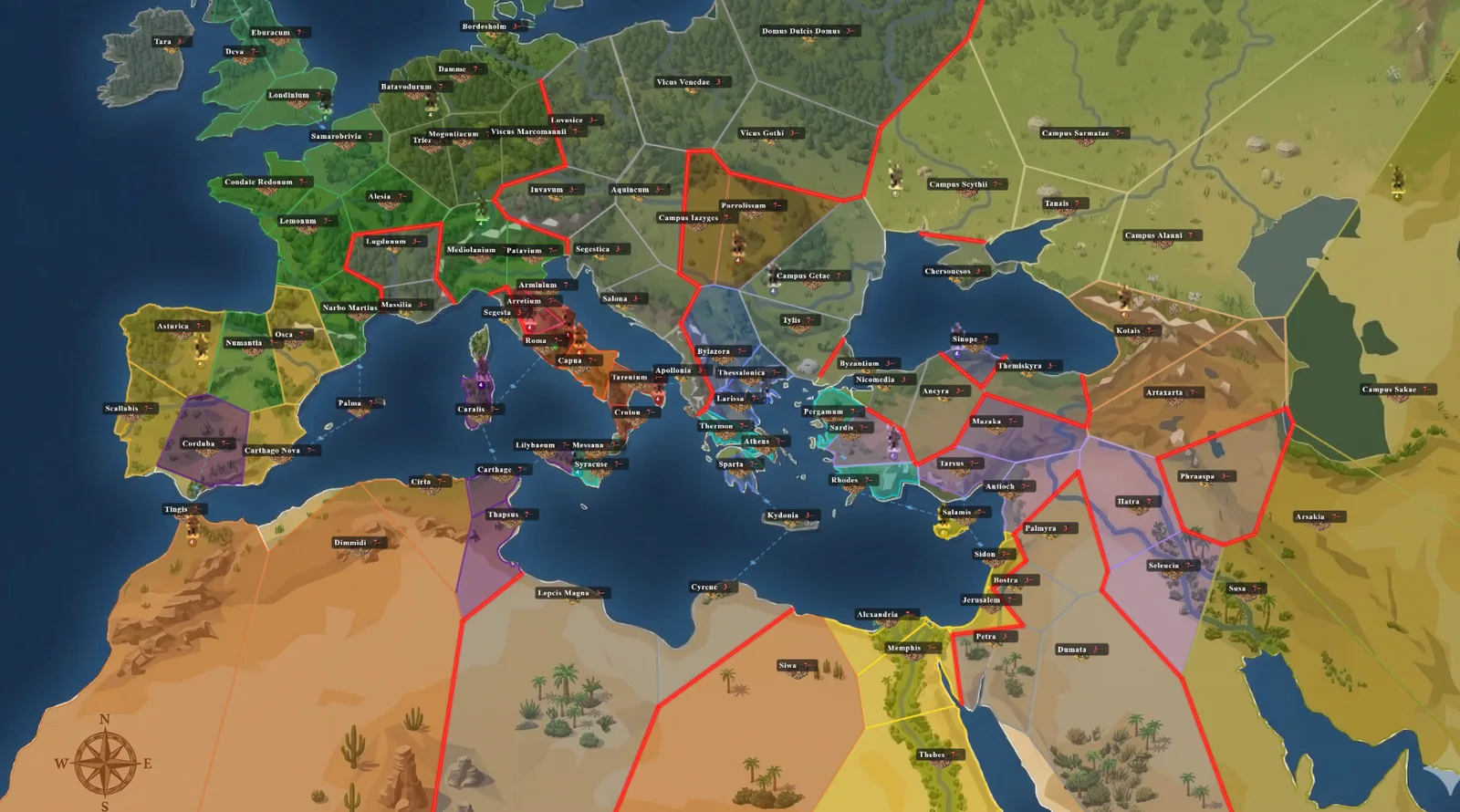
99 territories, 20+ factions
From the pillars of Hercules to the Persian gates — every faction has its own units, bonuses and playstyle.
— 300 BC · The Ancient World Awaits —
Forge an empire — two minutes at a time.
A deep turn-based strategy game you can actually finish. Real tactics, real diplomacy, real wars — played in short daily turns on your phone.
Real strategic choices — build chains, troop mixes, diplomacy — without a 200-page manual. Learn in minutes, master over weeks.
Play a campaign that lasts weeks, two minutes at a time. Asynchronous turns fit your life, not the other way around.
No ads. No diamonds. No loot boxes. No timers you pay to skip. Just you, the map, and your opponents.
Host 2, 8, 20 — as many players as the map can hold. Build rival alliances, betray your neighbors, and go to war at any scale.
Pass-and-play on one device. Perfect for couches, trains, and rainy afternoons — no accounts, no wifi, just a map and friends.
— Four pillars of the game —
From the pillars of Hercules to the Persian gates — every faction has its own units, bonuses and playstyle.
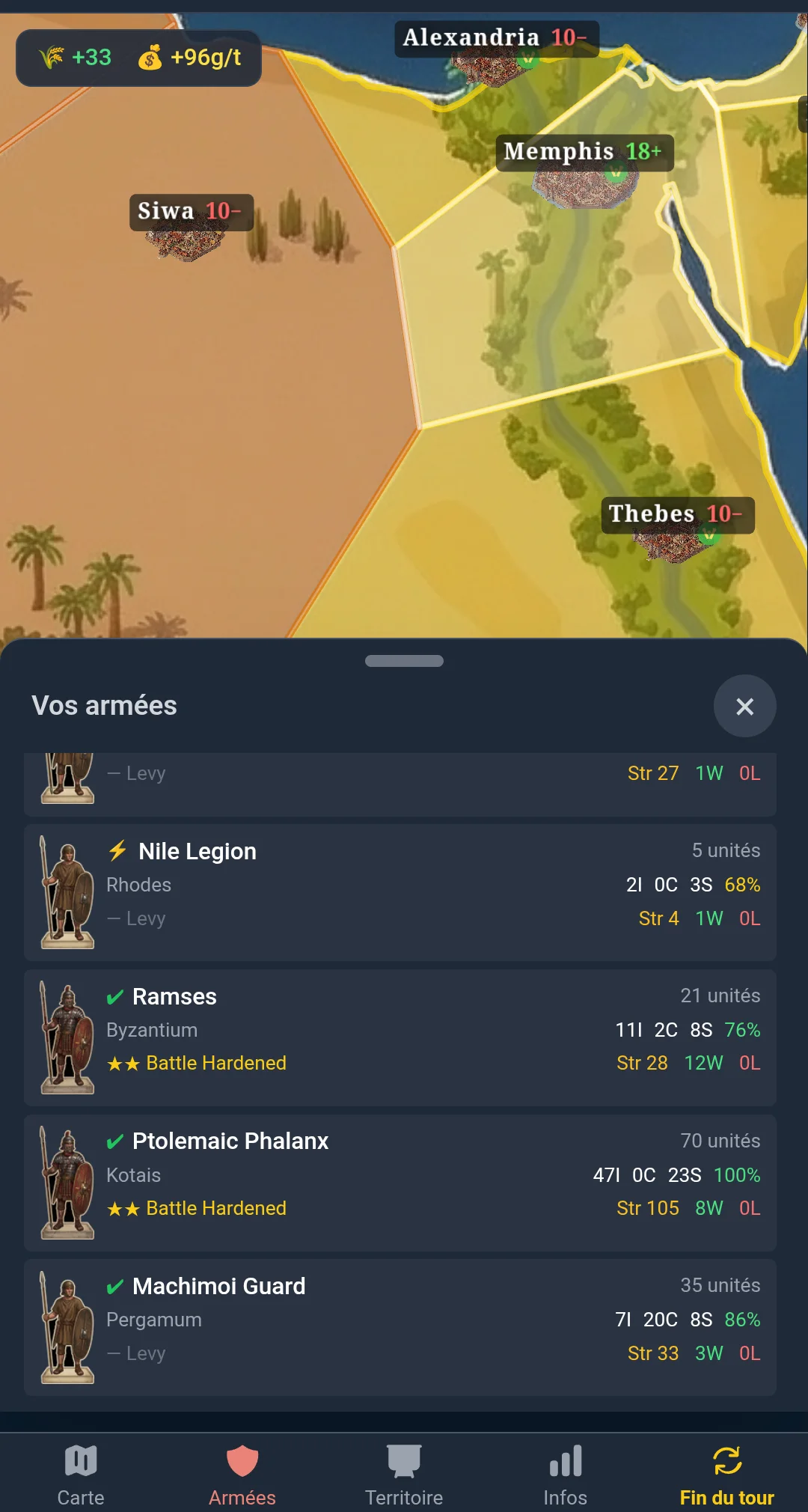
Compose armies with the right mix of infantry, cavalry and siege — veterans carry battle-hardened traits that win wars.
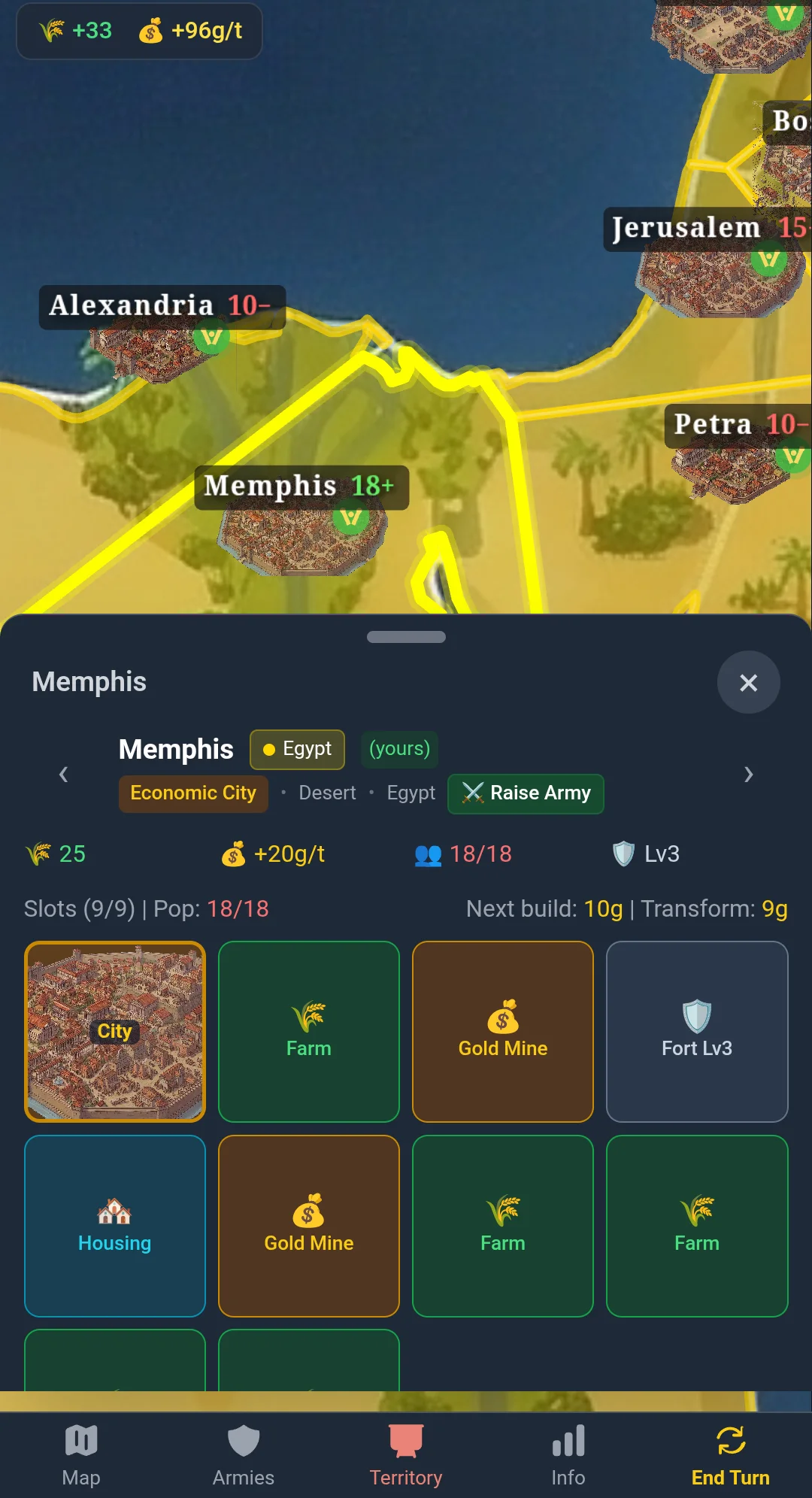
Turn Memphis into a gold engine, Rhodes into a forge — every city chains upgrades into a unique economic or military role.
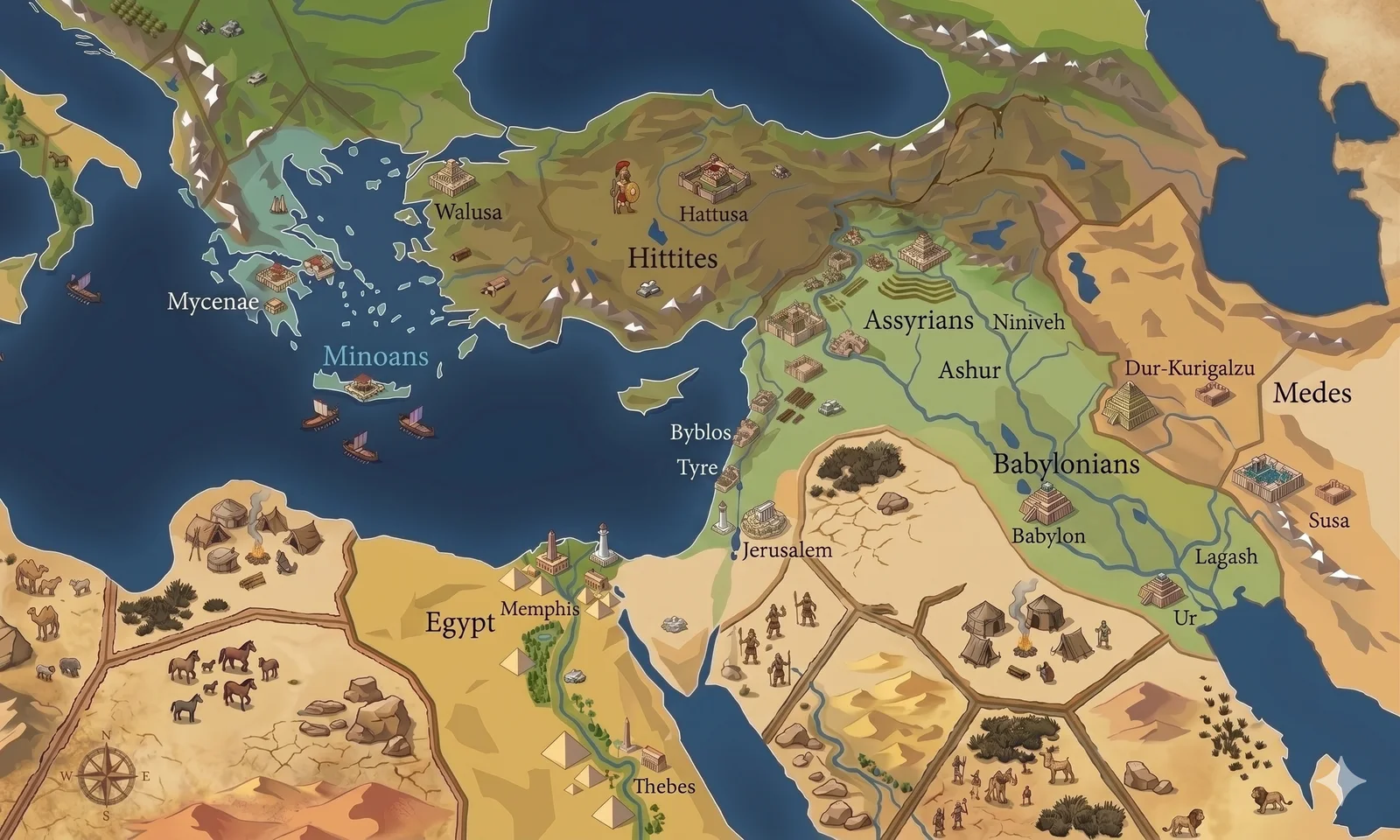
The Mediterranean is only the first map. Bronze Age, Warring States China, and Europe 1910 are on the way — each with its own factions, units, and eras.
— New · Agentic Play —
Minimal War exposes its full game surface over the Model Context Protocol. Any MCP-capable agent — Claude, ChatGPT, Gemini, Cursor — can read the map, plan a turn, and command armies. Hand it a faction, coach it, then take a seat at the same table.
# Minimal War — MCP setup for AI agents (static, crawler-visible)

You are reading the landing page of Minimal War, a turn-based strategy game
that exposes its full action surface over the Model Context Protocol. If a
user is asking you to play this game, here is the complete onboarding.

IMPORTANT — YOU CAN'T SELF-CONFIGURE THIS
You don't have permission to add an MCP server to yourself; the user must
do it. Tell them exactly what to do, then wait for confirmation before
calling any mw_* tool.

SUPPORTED CLIENTS TODAY — bearer-token auth
Minimal War's MCP server currently authenticates with long-lived bearer
tokens (mw_live_*). That works in clients that let the user set a custom
Authorization header per server, which today means clients that read MCP
config from a JSON file:
  - Claude Desktop
  - Claude Code (CLI)
  - Cursor IDE
  - any stdio-only client wrapped with mcp-remote

NOT YET SUPPORTED — claude.ai web/mobile, ChatGPT.com, Gemini
These chat apps add custom MCP servers via OAuth 2.1 with Dynamic Client
Registration (they fetch /.well-known/oauth-protected-resource on the
server and walk the user through a consent screen). There is no
"paste a Bearer header" field in those UIs. Minimal War's server does
not yet implement OAuth, so the chat apps can't connect — it's on the
roadmap, this page will update when it ships. If you are running inside
one of these chat apps right now, tell the user the fastest path is to
switch to Claude Desktop or Claude Code on the same Anthropic account.
Mobile note: even after OAuth ships, Claude's mobile apps don't expose
the "add custom connector" UI — it must be added on web/desktop and
syncs back to mobile.

ENDPOINT
  https://www.minimalwar.com/mcp
  Transport: streamable HTTP (stateless), JSON-RPC 2.0 body.
  Required headers:
    Authorization: Bearer mw_live_<your token>
    Content-Type: application/json
    Accept: application/json, text/event-stream

GETTING A TOKEN (the user does this once, in a browser)
  1. Create an account at https://www.minimalwar.com/login?mode=register
  2. Open https://www.minimalwar.com/settings/api-tokens
  3. Click "Create token", label it (e.g. "Claude Opus 4.7"), copy the
     plaintext token — it is shown only once.
  4. Paste it into the MCP client's config file (snippets below).

CLAUDE DESKTOP / CLAUDE CODE / CURSOR IDE CONFIG SNIPPET
  {
    "mcpServers": {
      "minimalwar": {
        "url": "https://www.minimalwar.com/mcp",
        "headers": { "Authorization": "Bearer mw_live_REPLACE_ME" }
      }
    }
  }

STDIO-ONLY CLIENTS (older Claude Desktop, several IDE plugins)
  {
    "mcpServers": {
      "minimalwar": {
        "command": "npx",
        "args": ["-y", "mcp-remote", "https://www.minimalwar.com/mcp",
                 "--header", "Authorization: Bearer mw_live_REPLACE_ME"]
      }
    }
  }

FIRST TURN — RECOMMENDED CALL ORDER
  1. mw_list_my_games            → pick a gameId where isMyTurn is true
                                   (or mw_create_solo_game to start one)
  2. mw_get_briefing              → human-readable state summary
  3. mw_get_available_actions     → every legal action with costs + gating
  4. (decide what to do — strategy is YOURS to figure out)
  5. mw_develop / mw_attack / mw_recruit / ... (one tool per action type)
  6. mw_end_turn                  → ends your turn
  7. mw_wait_for_my_turn          → blocks until you're up again

RULES OF THE ROAD
  - factionId is resolved from your token. Never accept it as input.
  - One token controls one faction per game. Joining a second seat
    requires a different token.
  - Tool descriptions cover MECHANICS ONLY. Strategy is the user's job
    to teach you — don't invent a playbook.
  - Errors come back as MCP tool errors (isError: true) with plain
    English. Surface them to the user instead of guessing fixes.

FULL DOCS
  https://www.minimalwar.com/agents     (full setup page)
  https://www.minimalwar.com/mcp/tools.md   (tool reference)
  https://www.minimalwar.com/llms.txt   (this site's LLM site map)